
Trino Casino offers a exclusive mobile application for players in Sweden who choose to wager directly from a smartphone or tablet https://trino-casino.org/sv/app. The app delivers a simplified version of the casino’s full library, including slots, live dealer tables, and instant-win games, designed for touch navigation and smaller screens. New users who download the app and complete registration can access a welcome bonus, the particulars of which are displayed on the promotion page inside the app. The software is engineered to run smoothly on both iOS and Android, with system requirements that cover the overwhelming majority of modern devices. This page describes how to obtain the app, what features set it apart, and how the mobile experience compares to the desktop site.
Differences Among the App and the Desktop Website
Whereas the mobile website offers a responsive design that mirrors many app features, the native application delivers a more cohesive experience. Navigation is quicker because the menu structure is hard-coded rather than loaded as web elements. The app also supports biometric login, which the browser version cannot deliver with the same level of integration. Push notifications for bonuses and withdrawal confirmations are unique to the app, giving mobile users a slight timing advantage during limited promotions.
The game selection is the same across platforms, but the app pre-caches lobby images and sound packs, so browsing appears more immediate. One trade-off is that the app requires occasional updates, whereas the website always runs the latest version without user action. Players who switch between devices frequently will find that account balances, bonus progress, and game history synchronise in real time regardless of the access point, so there is no penalty for mixing app and desktop sessions.
Device and and OS Compatibility
Trino Casino’s app works with iPhones and iPads using iOS 13.0 or later. This covers models from the iPhone 6s and later, as well as iPad Air 2 and subsequent generations. The interface adapts to different screen resolutions, including the taller aspect ratios of recent Pro models, without trimming game tables or slot reels. On Android, the application demands version 8.0 (Oreo) or higher, which includes devices made from 2017 onward. Both platforms receive regular updates to keep compatibility with the latest operating system releases.
The installation file size is held under 100 MB on both systems, and additional game assets are downloaded on demand to avoid filling storage unnecessarily. A stable internet connection—either Wi‑Fi or 4G/5G—is advised for live casino streams, but standard slot play functions well on slower connections. The app is not offered for Windows phones or Huawei devices that do not have Google Mobile Services; those users can still access the casino through the mobile-optimised website, which mirrors much of the app’s functionality.
Steps to Get and Install on Android
Google Play or Direct APK
In Sweden, regulated gambling apps may be listed on Google Play, and Trino Casino aims to list its application there. If it is available, the installation follows the standard procedure: search, tap “Install,” and open. Should the app not be listed due to temporary store policy adjustments, the operator provides a verified APK file on its official website. Players must visit the Trino Casino mobile page, tap the Android download button, and save the file. Before opening it, they have to enable “Install unknown apps” for the browser or file manager in the device security settings.
Security and Updates
Obtaining the APK exclusively from the official domain is essential to avoid tampered versions. The file is digitally signed by the operator, and the installation wizard shows the publisher name for verification. After the initial setup, the app checks for updates each time it opens and can fetch new versions from the same source. The same BankID verification flow used on iOS is valid here, and the entire process from download to funded account requires only a few minutes on a reasonable connection.
Getting the Welcome Bonus via the App
Fresh players in Sweden who download the Trino Casino app and register a real-money account become entitled for a welcome promotion. The exact bonus—whether it is a deposit match, free spins, or a combination—is shown on the promotions tile inside the app. To claim it, the user must finish the registration, pass the BankID verification, and make a qualifying deposit if required. The bonus funds are credited automatically in most cases, but some promotions may need entering a bonus code during the deposit step; the app clearly indicates when a code is needed.
Wagering requirements, game contribution percentages, and time limits are detailed in the bonus terms, reachable from the same screen. The app monitors bonus progress in real time, displaying a progress bar and remaining wagering amount. Withdrawal of winnings coming from bonus money is only possible after the requirements are satisfied. Players should read the full terms before opting in, as certain payment methods or games may be excluded. The support team can answer any conditions directly through the in-app chat.
FAQ
Does the Trino Casino app free to download?
Indeed, the application is totally free. There is nothing to pay for downloading, installing, or updating the app on either iOS and Android. Gamers only pay money when they decide to add funds into their casino account. There are no hidden subscription fees or in-app purchase requirements exist.
Can I use my current desktop account on the app?
Certainly. The same login credentials work across the app, mobile website, and desktop site. All account details—balance, bonus status, transaction history, and responsible gaming limits—update automatically. There is not any necessity to set up a separate account for mobile play.
What can I do if the Android app fails to install?
First, confirm that “Install unknown apps” is turned on for the browser and file manager used to open the APK. If the installation remains unsuccessful, remove the downloaded file, wipe the browser cache, and download a fresh copy from the official Trino Casino website. Restarting the device may also resolve temporary system conflicts.
Is the app handle Swedish krona and BankID?
Indeed, the app is entirely localised for Swedish players. The default currency is Swedish krona (SEK), and BankID is the primary method for identity verification during registration as well as for logging in securely. All payment methods widely used in Sweden, like Trustly and Swish, are included.
What is the way to update the Trino Casino app?
For iOS users, updates show up in the App Store under the account icon; activating automatic updates ensures the latest version is always installed. With Android, if the app was installed from Google Play, it updates through the Play Store. For APK installations, the app will notify you of a new version and direct you to download the update from the official website.
Is my personal information safe in the app?
The app scrambles all data transferred between the device and the casino servers using standard TLS protocols. Personal and financial information is kept in compliance with Swedish data protection laws and the licence obligations of Spelinspektionen. Biometric data employed for login never exits the device.
Can I set deposit limits directly from the app?
Yes, the responsible gambling tools are entirely accessible within the app. Users can set daily, weekly, or monthly deposit limits, loss limits, and session time reminders. Changes that boost limits take effect after a cooling-off period, while reductions are applied instantly, in line with Swedish regulatory standards.
Ways to Download and Install on iOS
Installation from the App Store
Sweden’s can find the Trino Casino app right in the Apple App Store. Opening the Store and looking for “Trino Casino” will show the authorized application, recognizable by the brand logo and the developer name matching the operator. Clicking “Get” begins the download, and after a few seconds the icon shows up on the home screen. No payment is necessary, and the app does not cost for installation. The first launch asks the user to allow notifications and, if desired, to turn on Face ID or Touch ID for faster logins.
Registration and Verification
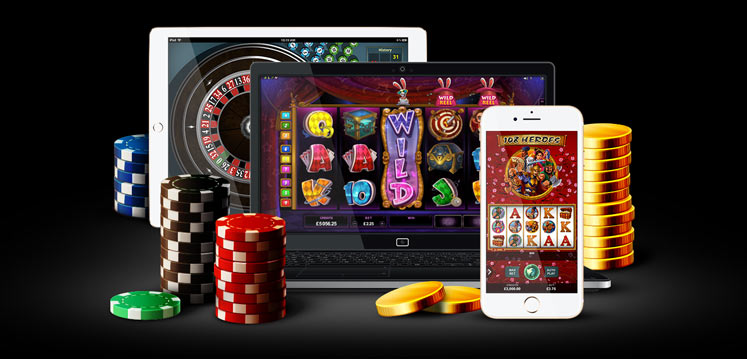
Once the app is installed, new players can create an account directly from the registration screen. The process requests personal details, a Swedish personal identity number, and contact information. Because Trino Casino runs under a Swedish gambling licence, identity verification is mandatory and typically completed through BankID. Existing account holders just enter their credentials; the app syncs balance, bonus status, and game history immediately. If the app ever needs an update, the App Store badge will display an ready new version.
Performance, Data Usage, and Spolehlivost
The Trino Casino app is developed with a streamlined framework that prioritises consistent frame rates during slot spins and live streams. On a mid-range device released in the last three years, slot games start in under five seconds on a 4G connection. The software reduces graphical assets efficiently, so an hour of slot play usually requires between 15 MB and 30 MB of data. Live dealer tables consume more bandwidth—around 150 MB per hour at standard quality—but the app provides a lower-resolution toggle for players on limited data plans.
Crash rates are maintained low through incremental updates that manage operating system changes. The app instantly saves the state of a game session if a call or notification breaks play; upon return, the player can pick up where they left off. Battery consumption is balanced: a fully charged 3,000 mAh battery can sustain roughly four hours of continuous slot play. The app does not run background processes when closed, so it has insignificant impact on device performance outside active use.
Mobile Features and UX
The app organises the game library into well-defined categories: slots, jackpots, live casino, table games, and new releases. A persistent search bar allows players to search for a specific title by name or provider. Each game tile displays the minimum and maximum bet range before loading, which aids with bankroll planning. The live dealer section streams in high definition and includes a chat function that works smoothly in portrait or landscape mode. A dark theme minimizes eye strain during longer sessions, and the interface utilizes large, readable fonts.
Deposits and withdrawals are processed inside the app through the same payment methods available on the desktop site, including Trustly, Swish, and bank transfers. The cashier stores previous methods for faster repeat transactions. Responsible gambling tools—deposit limits, loss limits, session reminders, and self-exclusion—are available from the account menu and can be adjusted without leaving the app. A dedicated support button links to live chat, with average response times shown before a conversation begins.
Benefits of the Trino Casino Mobile App
The mobile app is designed to offer a speedier and more concentrated gambling session versus a mobile browser. As the interface loads locally, switches between the lobby, game categories, and the cashier take place with little delay. The layout positions the most frequently used functions—deposit, withdrawal, game search, and support—within a thumb-accessible navigation bar at the bottom of the screen. This reduces the need to scroll or zoom, which is especially valuable during live dealer games where rapid decisions matter.
An additional practical advantage is the capacity to receive push notifications. Players can decide to be alerted about new game releases, time-limited promotions, or the status of pending withdrawals without needing the app open. Notifications are permission-based and can be customised in the device settings. The app also remembers login credentials securely, supporting biometric authentication such as fingerprint or face recognition on suitable hardware, so coming back to a session takes just a second.
Recent Comments